For schools

Phones in pockets.
Brains in class.

A smarter way for schools to reduce digital distractions without collecting, locking away, or confiscating student phones.

Less hardware. Less overhead.

Physical phone programs can require pouches, lockers, unlocking equipment, replacements and daily handling. Dedoom moves the policy into software.

✕ No need to purchase magnetic pouches ✕ No need to purchase unlocking equipment ✕ No need to install lockers ✕ No need for daily collection & distribution


How pouches & lockers compare with Dedoom

Capability
🔒 Pouches & Lockers
Dedoom
1 Better classrooms
Reduces digital distractions Supported feature in Dedoom for Schools Supported feature in Dedoom for Schools
Keeps learning tools accessible Drawback of traditional phone pouches and lockboxes Supported feature in Dedoom for Schools
Keeps parents reachable Drawback of traditional phone pouches and lockboxes Supported feature in Dedoom for Schools
Builds intentional phone habits Drawback of traditional phone pouches and lockboxes Supported feature in Dedoom for Schools
2 Less operational burden
No phone collection Drawback of traditional phone pouches and lockboxes Supported feature in Dedoom for Schools
No phone distribution Drawback of traditional phone pouches and lockboxes Supported feature in Dedoom for Schools
No unlocking equipment Drawback of traditional phone pouches and lockboxes Supported feature in Dedoom for Schools
Less teacher involvement Drawback of traditional phone pouches and lockboxes Supported feature in Dedoom for Schools

One scan. Then focus.

A unified, software-driven workflow that requires zero physical collection or hardware overhead.

Step 1

Configure

School chooses what gets restricted.

Administrators configure rules once in software. Choose which algorithmic loops, short-form video feeds, and games are paused during instructional periods.
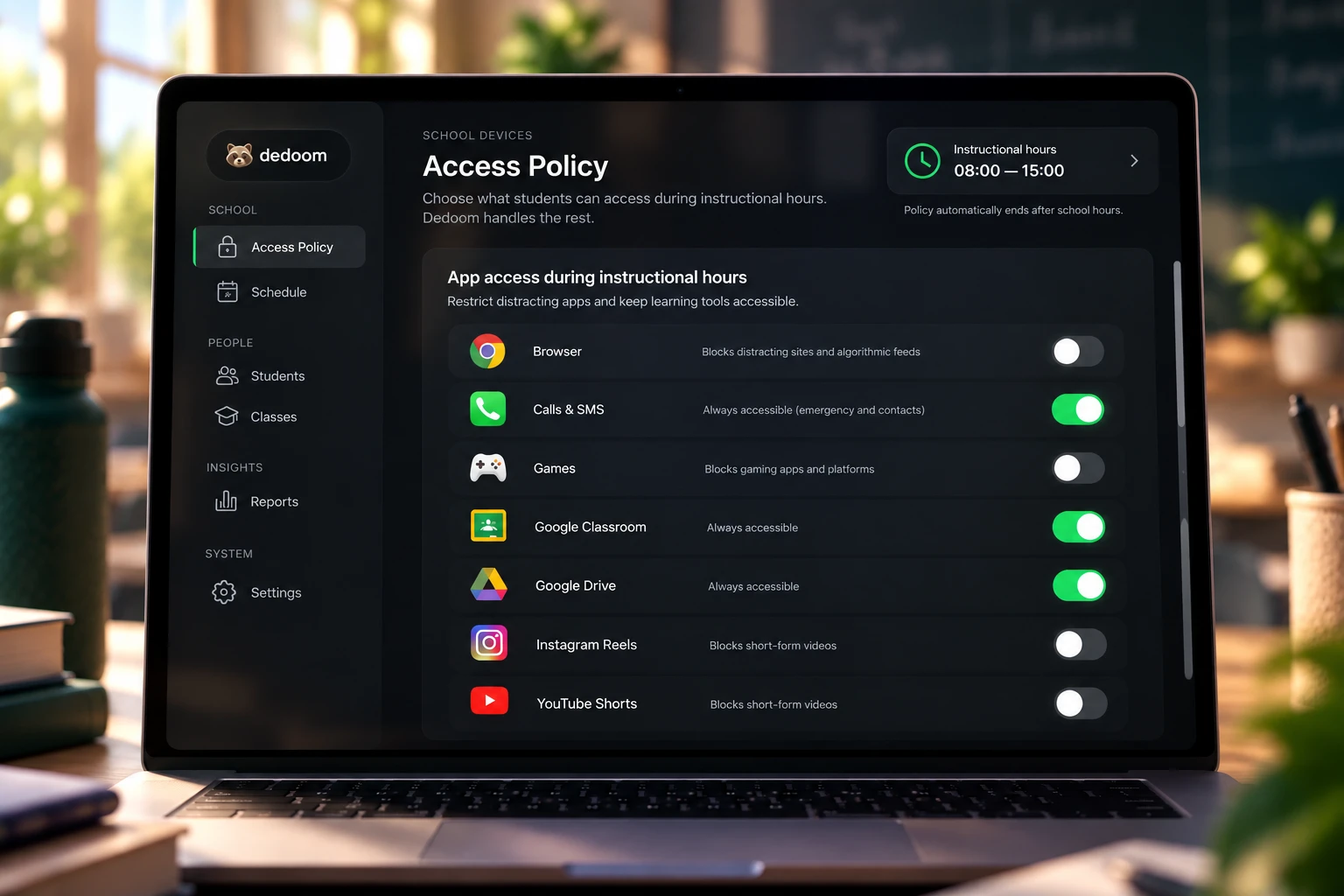
School administrators configuring student screen time and distraction policies on laptop
Step 2

Check in

Students scan the school's QR code.

Upon entering campus or class, students simply scan a QR poster. No collecting devices, no assigning cubbies, and zero lost time for teachers.
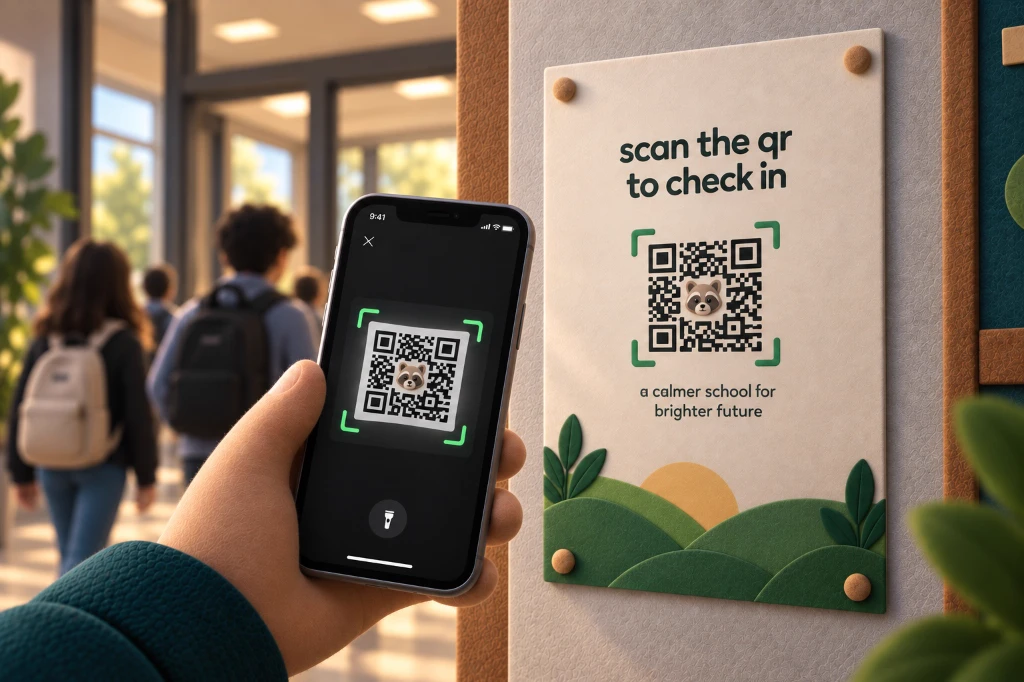
Student scanning QR code poster with smartphone to activate classroom screen time focus mode
Step 3

Focus

Configured distractions disappear. Approved communication and school resources remain available.

Dedoom enforces the school's policy seamlessly on-device. Shorts, Reels, and social algorithms vanish, while class learning tools and emergency phone calls continue to work.
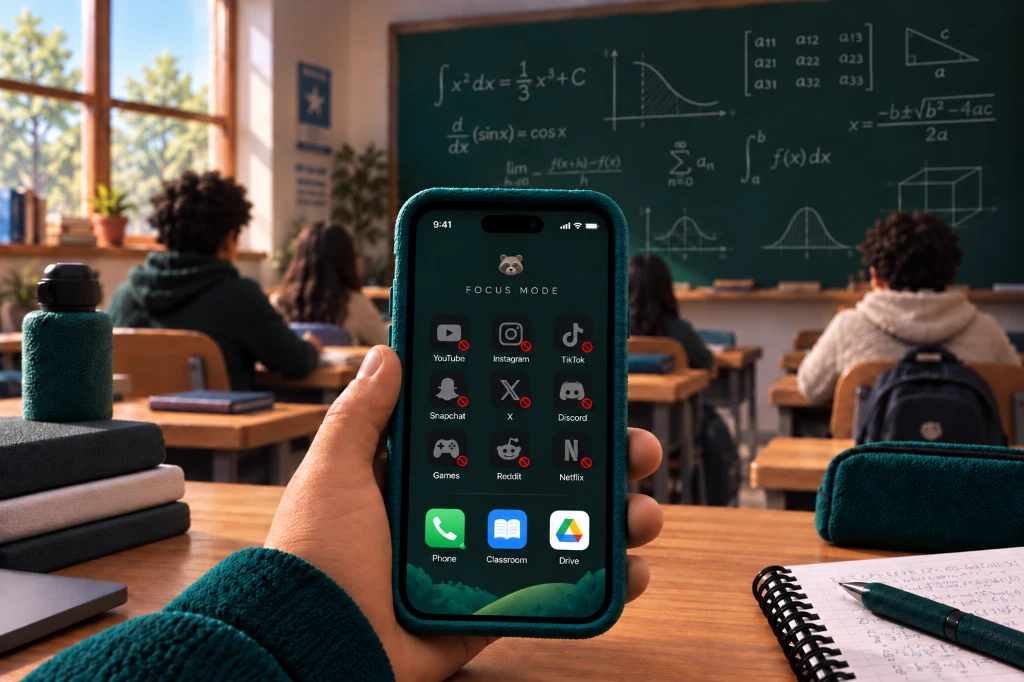
Student smartphone with Dedoom Focus Mode active in classroom preventing screen time distractions
Step 4

Check out

The session ends. The phone returns to its normal state.

At the end of the scheduled school day, restrictions lift automatically without requiring teachers to unlock physical pouches or hand back devices.
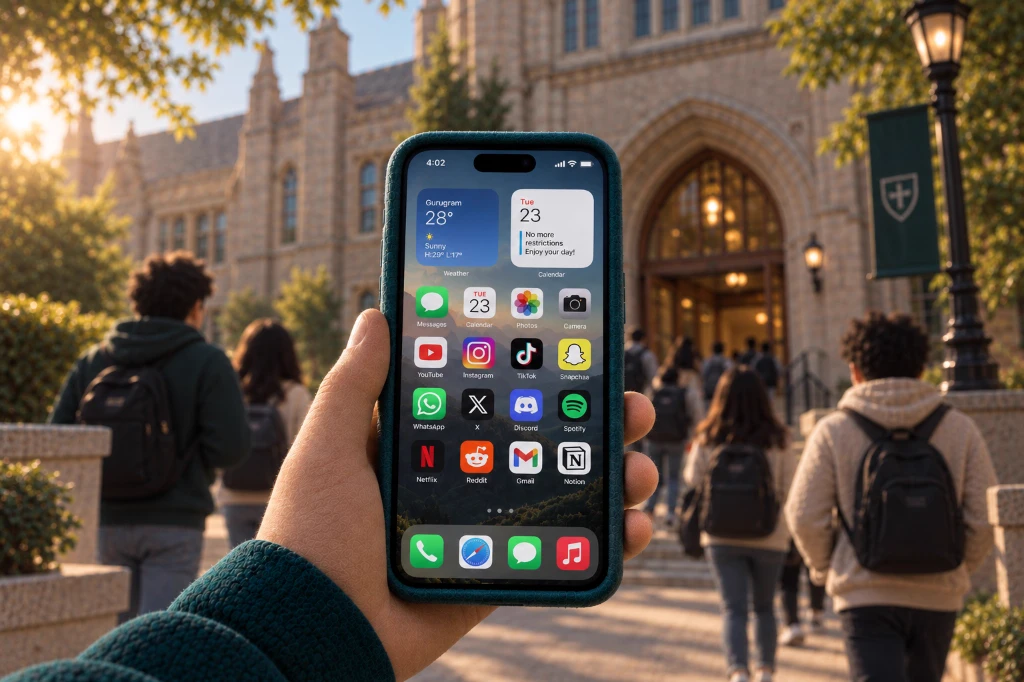
Student smartphone automatically lifting restrictions outside school building after class

Less phone policing. More teaching.

BEFORE
  • Drawback of manual phone collection before dedoom Collect phones
  • Drawback of manual phone distribution before dedoom Distribute phones
  • Drawback of handling phone exceptions before dedoom Handle exceptions
  • Drawback of repeated phone confrontations before dedoom Deal with repeated confrontations
→
WITH DEDOOM
  • Benefit of software policy setting with dedoom Set the policy
  • Benefit of rapid QR check in with dedoom Students check in
  • Benefit of automatic software restrictions with dedoom Software handles restrictions
  • Benefit of teachers staying focused on teaching with dedoom Teachers stay focused on teaching

Know whether the policy is working.
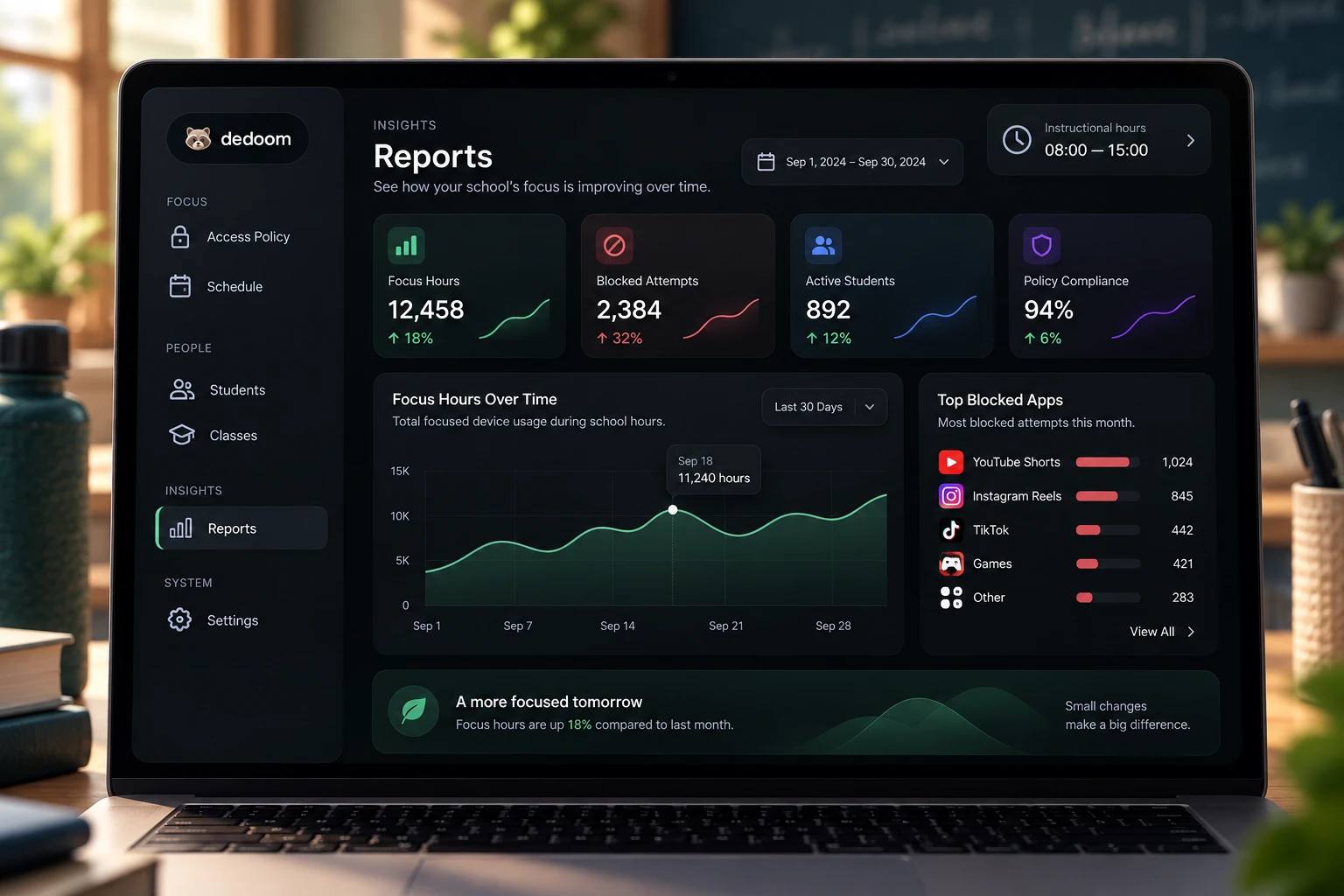
Dedoom School Admin Reports and Policy Compliance Dashboard for student screen time

Schools get policy-level visibility without requiring teachers to monitor individual screens.

100% Privacy 0% surveillance.

Schools only see two things.

Privacy checkmark showing student attendance verification

CHECK-IN STATUS

Whether a student has attended a class.

Privacy checkmark showing student restriction bypass detection

BYPASS ATTEMPTS

Whether a student attempted to bypass a restriction in the school.

That's it.

Everything else stays with the student.

A student's personal data remains private and outside the school's Dedoom dashboard. Neither dedoom has access to student's data nor does the school.

No screen monitoring. No activity feed. No hidden student profile.
Two signals. Nothing more. 🔒

Frequently Asked Questions

Yes. Essential parent and emergency communication remains available while distracting feeds are restricted.
No. Students keep their phones with them throughout the school session.
Dedoom is designed to minimize manual enforcement. Once students check in, the configured policy operates automatically.
Relevant bypass attempts can be surfaced to authorized school administrators.
Yes. Educational platforms, research tools, productivity apps, and other approved resources remain accessible.
Yes. Schools can configure and adjust their distraction policies based on their requirements and supported platforms.
Dedoom is designed around data minimization. Schools don't need access to students' browsing history or private messages to enforce the focus policy.
Support will depend on the device and operating system. Contact us to discuss your school's setup.